QR checkpoint patrols, built into your rota.
Fix a QR tag at every checkpoint. Officers scan as they walk, every scan is stamped with time and GPS, and every patrol ends as a checkpoint-by-checkpoint record your managers and clients can trust.
Time and GPS on every scan
Each scan is stamped and checked against the checkpoint's location.
Works without signal
Scans are saved on the phone and upload when signal returns.
Skipped means explained
A checkpoint that cannot be reached needs a reason, not a blank.
Reports clients trust
Checkpoint-by-checkpoint patrol reports, ready to send.
A patrol report full of photos does not show which doors were checked
Every security contract has a patrol clause, and every client eventually asks the same question: how do I know it happened? Photos prove an officer was on site with a phone. They cannot show the one checkpoint that was never visited, because a missing photo looks exactly like one nobody thought to take.
QR checkpoints turn a patrol into a list. Each point on the route is either scanned, skipped with a reason, or visibly missed. That is the difference between telling a client you patrolled and showing them.
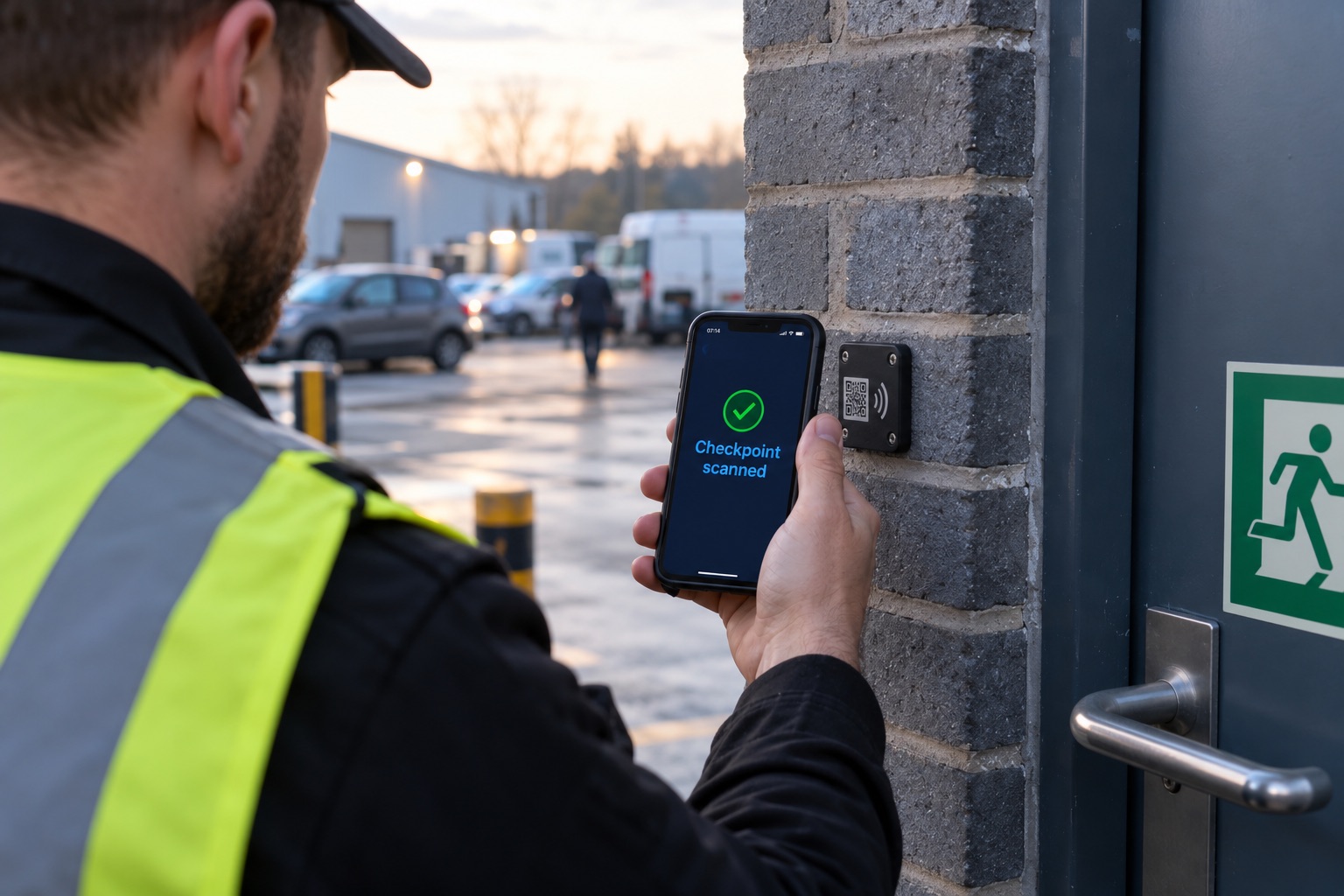
Scan the tag, prove the route
Fixed QR tags at each checkpoint turn a patrol into a checkpoint-by-checkpoint record. Sites that do not need tags keep the familiar photo patrol, so you choose the level of proof site by site.
- Step 1
Print a tag per checkpoint
Add checkpoints to the site, main gate, loading bay, plant room, and print a QR tag for each, straight from the site record.
- Step 2
Guards scan as they walk
The tour opens in the employee app as a checkpoint list. Each scan records the time and GPS position against that exact point.
- Step 3
Can’t reach one? Say why
A locked door or a blocked route is skipped with a reason, so the report shows the explanation, not just a gap.
- Step 4
Complete the tour
Every checkpoint covered and the tour is Submitted. Anything missing and it is marked Partial, visible to managers straight away.
2 of 4 checkpoints recorded, 1 skipped
Main gate
Recorded 23:02
Loading bay
Recorded 23:09
Plant room
Skipped, door locked
Car park level 2
Not yet scanned
Employee app · QR tour
Built for real sites
- Works without signal, scans are saved on the phone and upload when it returns
- Every scan GPS-stamped and checked against the checkpoint’s location
- Tags carry no web address or site details, and a copied tag can be voided and reprinted
- Photo patrols stay available for sites that do not use tags
A record managers and clients can trust
- Checkpoint-by-checkpoint breakdown in the shift details
- Submitted, Partial and Missed tours shown at a glance
- Skip reasons recorded alongside the checkpoint they explain
- Patrol report PDF with the full checkpoint table, ready to send to the client
Suspicious scans are recorded and highlighted, never thrown away
Refusing a scan does not stop a determined shortcut, it only loses evidence of an honest patrol. ProRota keeps every scan and marks the ones that do not add up, so a manager reviewing the tour sees exactly what to question.
A guard tour system that already knows your rota
A standalone patrol app only knows that a tag was scanned. ProRota also knows who was meant to patrol, whether they were on shift, and whether they were licensed to be there.
Patrols come from the rota
Scheduled tours are tied to the shift, so the right officer gets the right tour at the right time.
Clock-in and patrol together
Geofenced clock-in shows the officer was on site, and a scan from someone not clocked on is flagged.
SIA licences in the same system
Licence watch with expiry alerts sits alongside the patrol record for every officer.
Check calls between tours
Welfare check calls for lone officers, recorded on the same shift.
Incidents from the patrol route
Officers report incidents with photos, GPS and signatures on your own templates.
Client portal and payroll
Clients see the service on their sites, and hours flow into timesheets and payroll.
Honest patrols kept, suspicious scans highlighted
Printed tags can be photographed and scanned from somewhere else. No QR system can make that impossible, and a system that simply refuses odd-looking scans throws away evidence of real patrols along with the fake ones.
ProRota keeps every scan and checks it. Scans made away from the checkpoint, too quickly after the last one, by an officer not clocked on, with a weak GPS fix or uploaded long after the scan are flagged, and the tour is marked for review. Managers decide with the evidence in front of them.
If a tag is copied, it can be voided and reprinted from the site record. Tags carry an opaque code, never a web address or site details.
Every scan is kept. The odd ones are marked.
A scan is never refused because something looks wrong. It is recorded with a flag, and the tour shows "needs review", so the manager decides with the evidence in front of them instead of losing an honest patrol to a strict rule.
Two ways to use the same checkpoints
QR patrol tours
Scheduled patrols on the rota, walked by scanning every checkpoint.
- Tours generated for the shift at the times the site needs
- Statuses: In Progress, Submitted, Partial or Missed
- Grace period per site before a tour is marked missed
- Checkpoint-by-checkpoint breakdown in the shift details
Site Tour Reports
Guided inspections built on the same tags, for audits, lock-ups and client walk-rounds.
- Any order, or enforce the route order
- Instructions and required photos per checkpoint
- Questions at each point, built in a drag-and-drop builder
- Finished tour becomes a report with a PDF emailed automatically
| Photo patrol | QR checkpoint patrol | |
|---|---|---|
| What proves the visit | Photos taken during the patrol | A scan of the tag fixed at each checkpoint |
| Which areas were covered | Inferred from the photos | Listed checkpoint by checkpoint |
| A missed area | Hard to spot | Shown as not reached, or skipped with a reason |
| Setup on site | None | Print and fix one tag per checkpoint |
| Best for | Small sites, ad hoc checks | Contracted routes a client wants evidenced |
Getting tags onto the wall
Print from the site record
Add checkpoints to a site and print a label for each, ready to fix in place.
QR Tag Library
An add-on for pre-printed tag stock with codes, linked to checkpoints by supervisors from the app.
Void and replace
Replace a damaged or copied tag without losing the checkpoint's history.
- Main gate02:01
- Loading bay 302:07
- Plant roomSkipped: door locked
- North fenceFlag: too fast
- Tour statusPartial
Built for sites where patrols are contracted
Warehouses and logistics
Perimeter tours, loading bays and yards walked through the night.
Offices and corporate sites
Floor-by-floor patrols, plant rooms and lock-up routines.
Retail and shopping centres
Store and service-corridor patrols before and after trading.
Hospitals and care sites
Estate patrols across car parks, entrances and wards.
Schools and campuses
Residence, building and perimeter patrols out of hours.
Construction and vacant sites
Regular, evidenced checks of empty or changing sites.
For SIA approved contractors
Patrol records that count as ACS evidence
The ACS asks approved contractors to evidence attendance on customer sites and performance against service agreements. Dated, checkpoint-level patrol records feed straight into ProRota's ACS Readiness dashboard.
QR patrols: common questions
What is a QR code guard tour system?
A guard tour system proves that security officers patrolled a site. QR tags are fixed at checkpoints around the site, and the officer scans each one with a phone app as they walk the route. Each scan records the time and location, so managers and clients can see exactly which points were covered and when.
How does ProRota's QR patrol work?
You add checkpoints to a site in ProRota and print a QR tag for each from the site record. Patrols scheduled on the rota open in the employee app as a checkpoint list. The officer scans each tag; a checkpoint that cannot be reached is skipped with a reason. The tour closes as Submitted, or Partial if a required checkpoint was missed, and managers see the result in the shift details and patrol reports.
Does it work without mobile signal?
Yes. Scans are saved on the phone when there is no signal and upload automatically when the connection returns, with the original scan time kept.
Can officers fake a scan by photographing the tags?
No system based on printed tags can make that impossible, so ProRota records every scan and flags the suspicious ones: scanned outside the checkpoint area, too fast from the previous checkpoint, not clocked on, a weak GPS fix, or uploaded long after the scan. Managers review flagged tours instead of losing honest patrols to a strict rule. A copied tag can also be voided and reprinted.
Do we need special hardware?
No. Officers use the ProRota employee app on their phone, and tags are printed from ProRota. Customers with the QR Tag Library add-on can also use pre-printed tag stock that supervisors install from the app.
Can we still use photo patrols?
Yes. Each site chooses its patrol mode. Sites that do not need tags keep photo patrols, and both run side by side.
Can clients see the patrols?
Yes. Patrol reports can be shared with clients as PDFs, and ProRota includes a client portal where clients can see the service delivered on their sites.
What is a Site Tour Report?
A Site Tour Report is a guided inspection built on the same QR checkpoints. Each checkpoint can have instructions, questions and required photos, the order can be enforced, and the finished tour becomes a report with a PDF emailed automatically.
How does QR patrolling help with SIA ACS approval?
The ACS asks approved contractors to evidence attendance on customer sites and service delivery against agreements. Dated, checkpoint-level patrol records from ProRota are the kind of evidence that supports those indicators.
Guides and related features
See QR patrols on your own sites
Tell us about your sites and patrol routes, and we will show you checkpoints, tags, the officer app and the reports your clients will receive.
- Checkpoints and tags set up for a site
- The officer scanning experience in the app
- Patrol reports and the client view